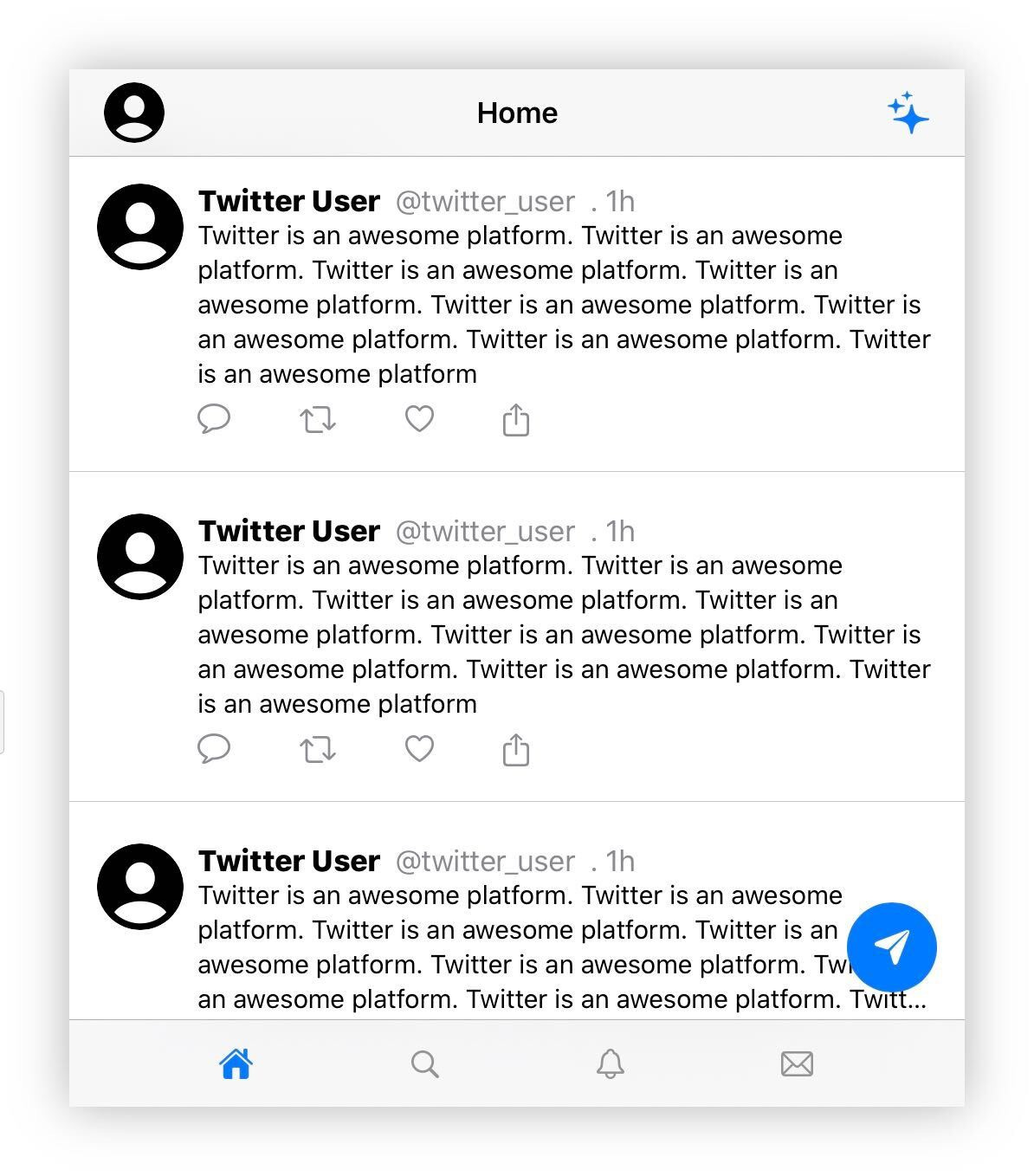
Recreating the Twitter app
Using SwiftUI and Swift Playgrounds on iPad

Let’s recreate the Twitter app using SwiftUI and Swift Playgrounds on iPad.
Video
Code
import SwiftUI
import PlaygroundSupport

struct Screen: View {
    var body: some View {
        ZStack (alignment: .bottomTrailing) {
            TabView {
                Home().tabItem {
                    Image(systemName: "house.fill")
                }
                Text("twitter").tabItem {
                    Image(systemName: "magnifyingglass")
                }
                Text("twitter").tabItem {
                    Image(systemName: "bell")
                }
                Text("twitter").tabItem {
                    Image(systemName: "envelope")
                }
            }
            Button(action:{}) {
                Image(systemName: "paperplane.fill").resizable().frame(width: 20, height: 20).foregroundColor(.white).padding()
            }.background(Color.blue).clipShape(Circle()).padding().padding(.vertical, 50)
        }
    }

    struct Home: View {
        var body: some View {
            VStack {
                NavigationView {
                    ScrollView (.vertical, showsIndicators: false) {
                        VStack (alignment: .leading) {
                            Post()
                            Divider()
                            Post()
                            Divider()
                            Post()
                            Divider()
                            Post()
                            Divider()
                            Post()
                            Divider()
                        }
                    }.navigationBarTitle("Home", displayMode: .inline).navigationBarItems(leading: Image(systemName: "person.crop.circle.fill").resizable().frame(width: 35, height: 35).clipShape(Circle()), trailing: Image(systemName: "sparkles").resizable().frame(width: 25, height: 25).foregroundColor(.blue).clipShape(Circle()))
                }.navigationViewStyle(StackNavigationViewStyle())
            }
        }
    }

    struct Post: View {
        var body: some View {
            HStack (alignment: .top) {
                VStack {
                    Image(systemName: "person.crop.circle.fill").resizable().frame(width: 50, height: 50).clipShape(Circle())
                }
                VStack (alignment: .leading) {
                    HStack {
                        Text("Twitter User").fontWeight(.heavy)
                        Text("@twitter_user").foregroundColor(.secondary)
                        Text(". 1h").foregroundColor(.secondary)
                    }
                    Text("Twitter is an awesome platform.").font(.subheadline)
                    Buttons()
                }
            }.padding()
        }
    }

    struct Buttons: View {
        var body: some View {
            HStack (spacing: 40) {
                Button(action: {}) {
                    Image(systemName: "message")
                }.foregroundColor(.gray)

                Button(action: {}) {
                    Image(systemName: "arrow.2.squarepath")
                }.foregroundColor(.gray)

                Button(action: {}) {
                    Image(systemName: "heart")
                }.foregroundColor(.gray)

                Button(action: {}) {
                    Image(systemName: "square.and.arrow.up")
                }.foregroundColor(.gray)
            }
        }
    }
}

PlaygroundPage.current.setLiveView(Screen())Final result